macOS Open source terminal tool for Mac and iPhone

Rook tidies your Mac. You decide what goes.

Groundskeeper scans your Mac, and an iPhone on USB, for space you can reclaim. Twice a week it writes a report. Nothing is deleted until you say so.

Rook, the Groundskeeper raccoon
0network requests. Nothing leaves your Mac.
2×a week, scheduled by launchd, with a notification.
8kinds of clutter on the Mac, plus your iPhone.
--applyneeded before any clean command deletes anything.

What it finds

The gigabytes hiding on your Mac

Groundskeeper (gk) measures where your space went and tells you what's safe to clear, with the command to do it.

Caches

Homebrew, npm, Go, pip and the rest, each with the command that clears it.

AI models

Ollama, Hugging Face and LM Studio models you may have forgotten you pulled.

Build artifacts

Stale target, node_modules and virtual environments in old projects.

Toolchains and containers

Old SDKs, extra toolchain versions and container images.

Downloads and browsers

Old downloads and browser caches. Never cookies, history or passwords.

Unused apps

Apps on the Mac, and on your iPhone, that you probably don't use any more.

The report

One page, twice a week

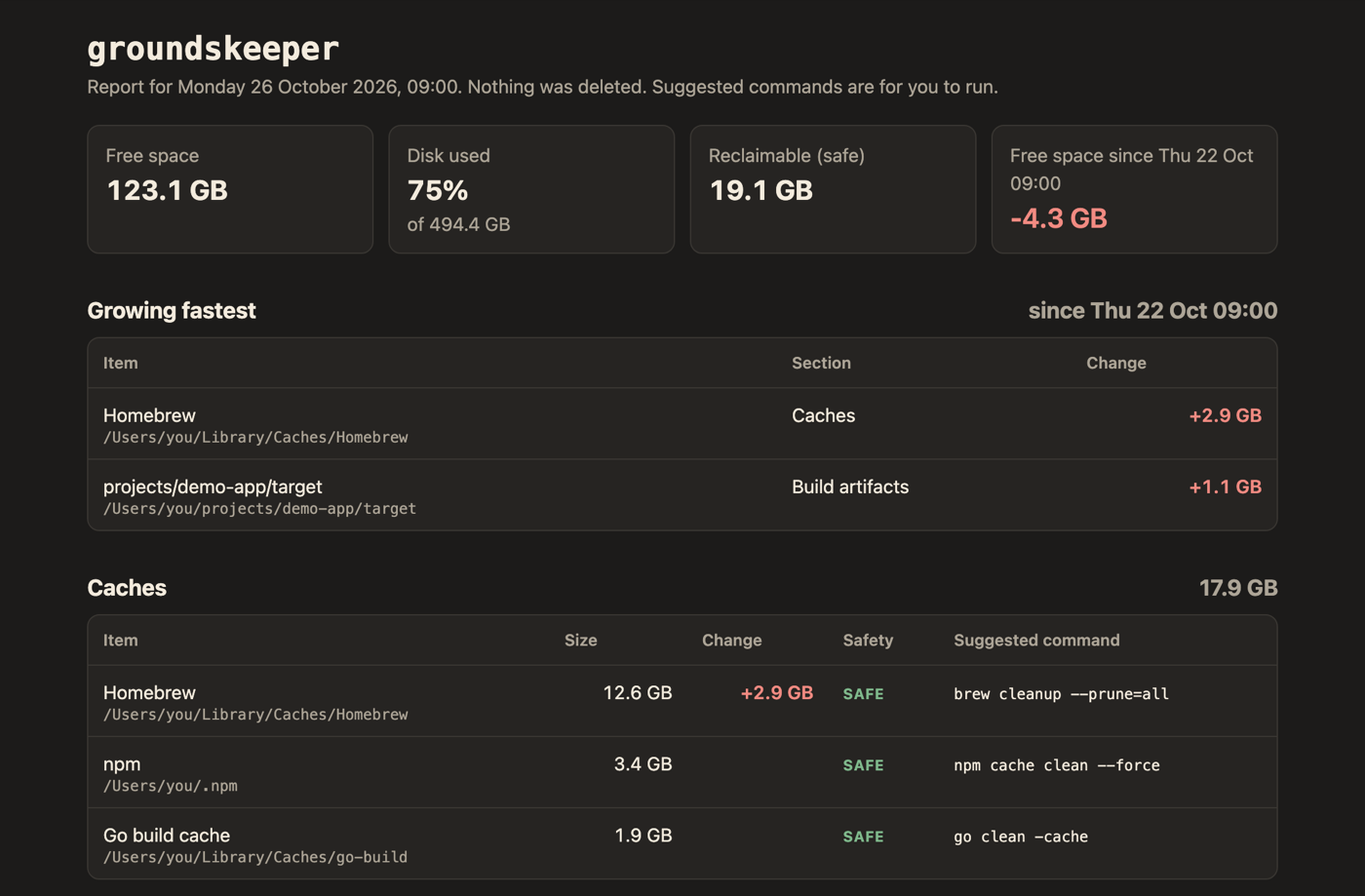
Monday and Thursday mornings, Rook scans and leaves an HTML report: free space, what's growing fastest, and every item with its size and a suggested command.

SAFEClear it. It comes back on its own if needed.
REVIEWWorth a look before you remove it.
KEEPShown so you know where the space went.
latest.html
The top of a Groundskeeper report showing free space, growing items and caches, from made-up data

Your iPhone too

Plug in. Find the duplicates.

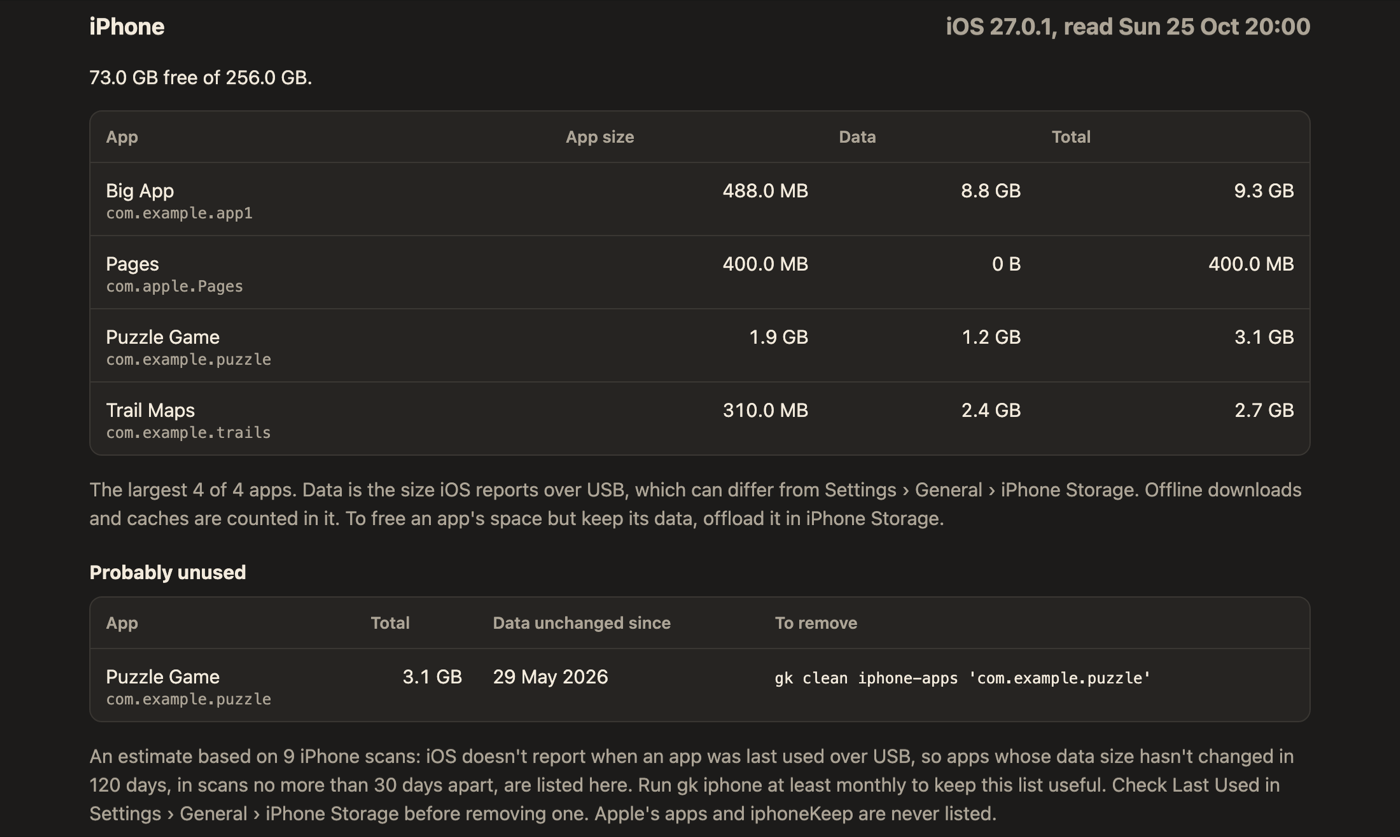
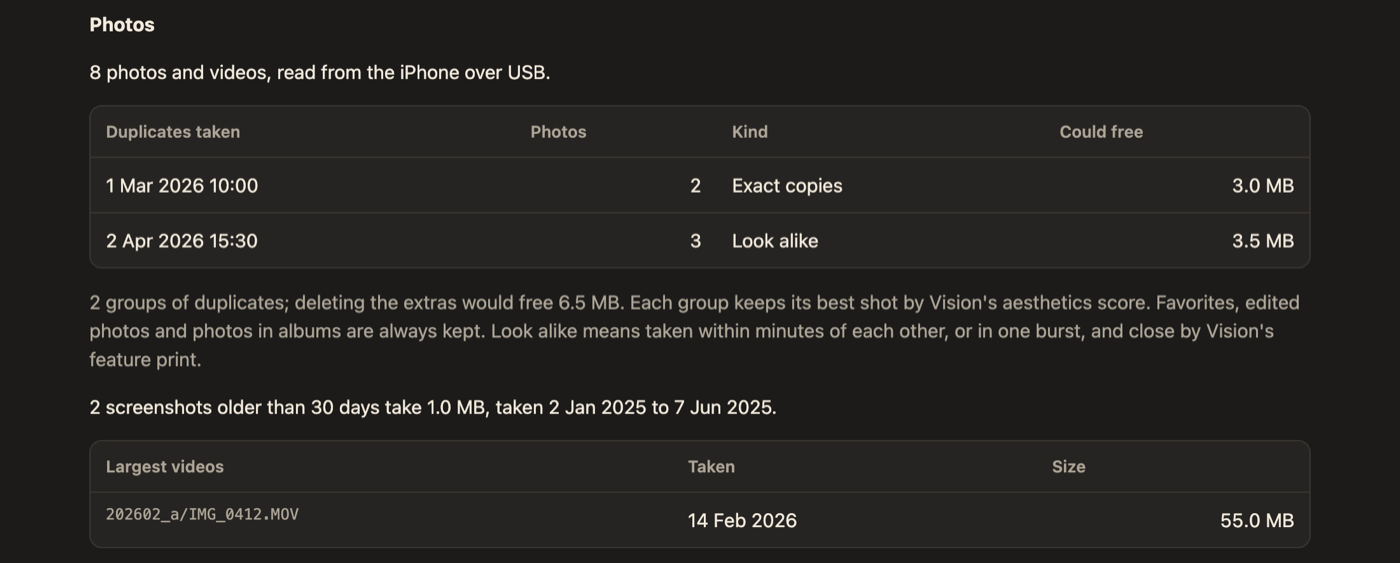
With an iPhone on USB, gk iphone adds its apps, shared files and duplicate photos to the report. gk review photos steps through groups of similar shots and marks the best one in each to keep.

gk iphonegk review photosgk clean photosgk clean iphone-apps
iPhone
The iPhone section of the report
Apps and their data on the phone.
Photos
The duplicate photos section of the report
Exact copies and look-alike shots, grouped.

Careful by design

Rook never throws anything away without asking

Groundskeeper runs with Full Disk Access, so it treats everything it touches as private.

01

Scans are read-only

The report suggests commands. It never runs them.

02

Dry run first

Every clean command shows what it would do until you add --apply. Files go to the Trash.

03

Nothing leaves your Mac

No telemetry, no update checks. The only connection is USB to your own iPhone.

04

Sizes, not contents

It adds up file sizes and never opens cookies, history, keychains or messages.

Ask an AI assistant

"What's using my disk?"

gk mcp serves three read-only MCP tools, scan, history and stats. An assistant can explain your disk but can't clean anything.

Use a local Ollama model to keep results on your Mac, or Claude Desktop if you're fine with paths going to Anthropic.

Install

Up and running in a minute

make install puts gk in ~/bin and schedules the twice-weekly scan. gk doctor checks the rest.

macOS 26Xcode Command Line ToolsGo
$ git clone https://github.com/shaynemeyer/groundskeeper.git
$ cd groundskeeper
$ make install
$ gk doctor
$ gk --open   # scan and open the report

Then read the user guide for Full Disk Access, cleaning up, the iPhone and privacy.